
I Tried to Talk Myself Out of Building This. It's Brought My Wife Three New Patients.
The reasonable case against spending a summer on a form builder — and the four gaps that made me do it anyway. Part 1 of a series on building a product with an agent.
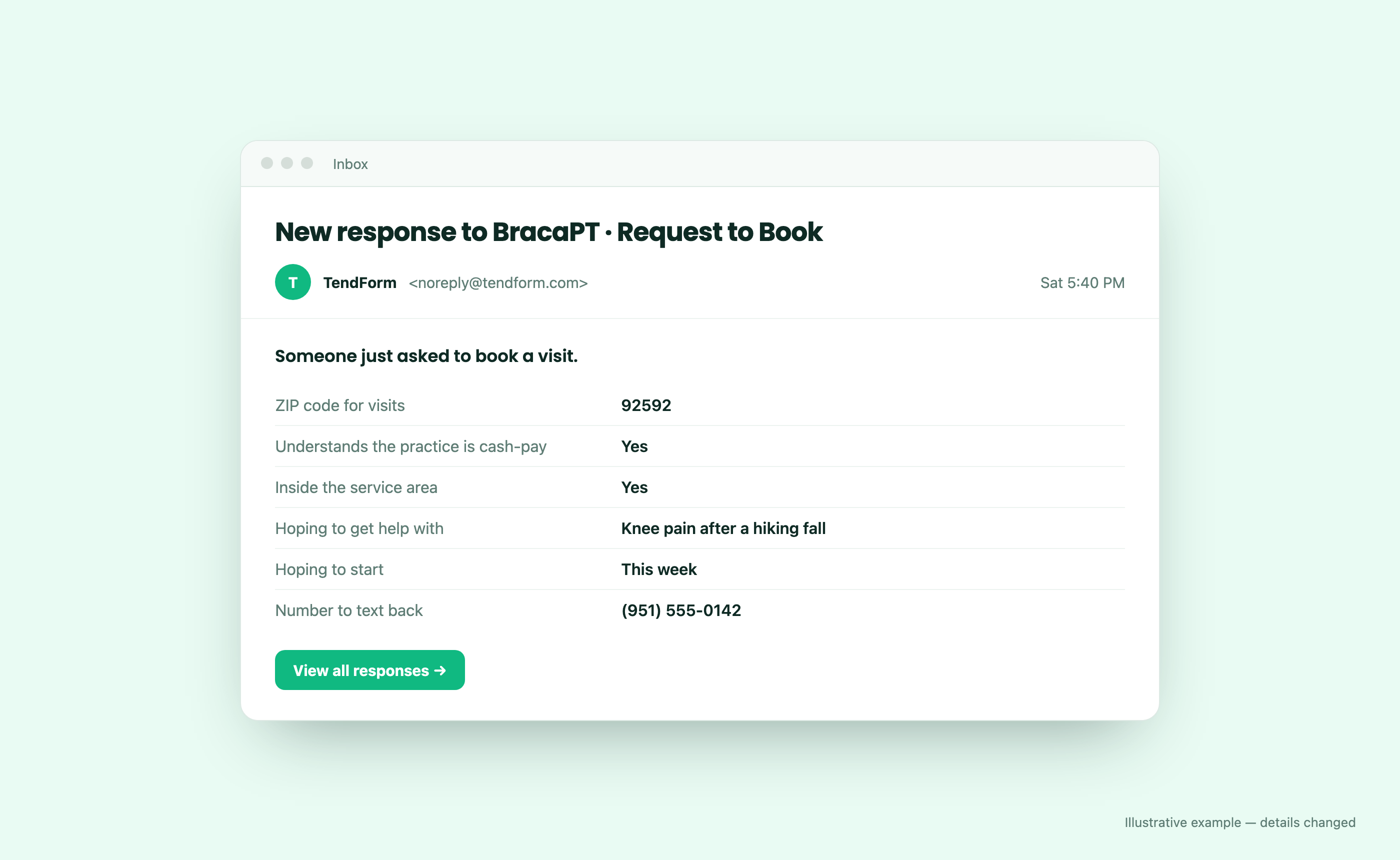
On a Saturday in September, at 5:40 in the evening, an email landed in my inbox: "New response to BracaPT · Request to Book."
Thirteen minutes later I forwarded it to my wife with two words and a smiley: "new patient :)"
That email is the whole reason this series exists. It was sent by software I built over the summer, for a business my wife runs, and it did exactly one small job: it told her that someone in her service area, who understood how she works, wanted to book a visit. No phone tag. No "sorry, we don't take Medicare" call on a Tuesday afternoon. Just a qualified request, in her inbox, ready for a text back.
In the couple of months since I added that booking form to her site, it has brought her three new patients. For a one-person practice, that's real money and, more importantly, real people getting care.
This is Part 1: what I built, the good reasons not to, and why I did it anyway. Later parts get into how I built it — mostly in collaboration with an AI agent — how I keep the quality honest when an agent writes much of the code, and what happens when your first customer is also the person you have dinner with.
A practice with no front desk
My wife is a Doctor of Physical Therapy. Her practice, Braca PT & Wellness, is cash-pay and mobile: she treats patients in their homes around Temecula, Murrieta, and Winchester in Southern California. She doesn't bill Medicare or insurance, and she only drives within a defined service area.
That model is great for patients who want unhurried, one-on-one care in their own living room. It's hard on the business side, because everything a clinic's front desk normally absorbs lands on one person who is usually in a car or with a patient:
- Screening inquiries. Two questions decide whether a new inquiry can become a patient at all: are you inside my service area? and are you okay paying cash? Answering them by phone, one caller at a time, is expensive.
- Paperwork before the first visit. Consent to treatment, a privacy acknowledgment. Doing it on a clipboard in someone's kitchen eats into the visit.
- Clinical records. Outcome measures like the Neck Disability Index, and — for some contracts — incident reports.
- Receipts. Cash-pay patients often submit their own claims to insurance, an HSA, or an FSA. They need an itemized receipt for every visit.
None of these are exotic. Every small practice has them. What surprised me was how much of her week they quietly consumed, and how badly they fit the tools you reach for first.
What TendForm does
TendForm is a form builder for exactly this kind of work. The short version: every form a new client needs — one link, one QR. Here's how it covers those four jobs at her practice.
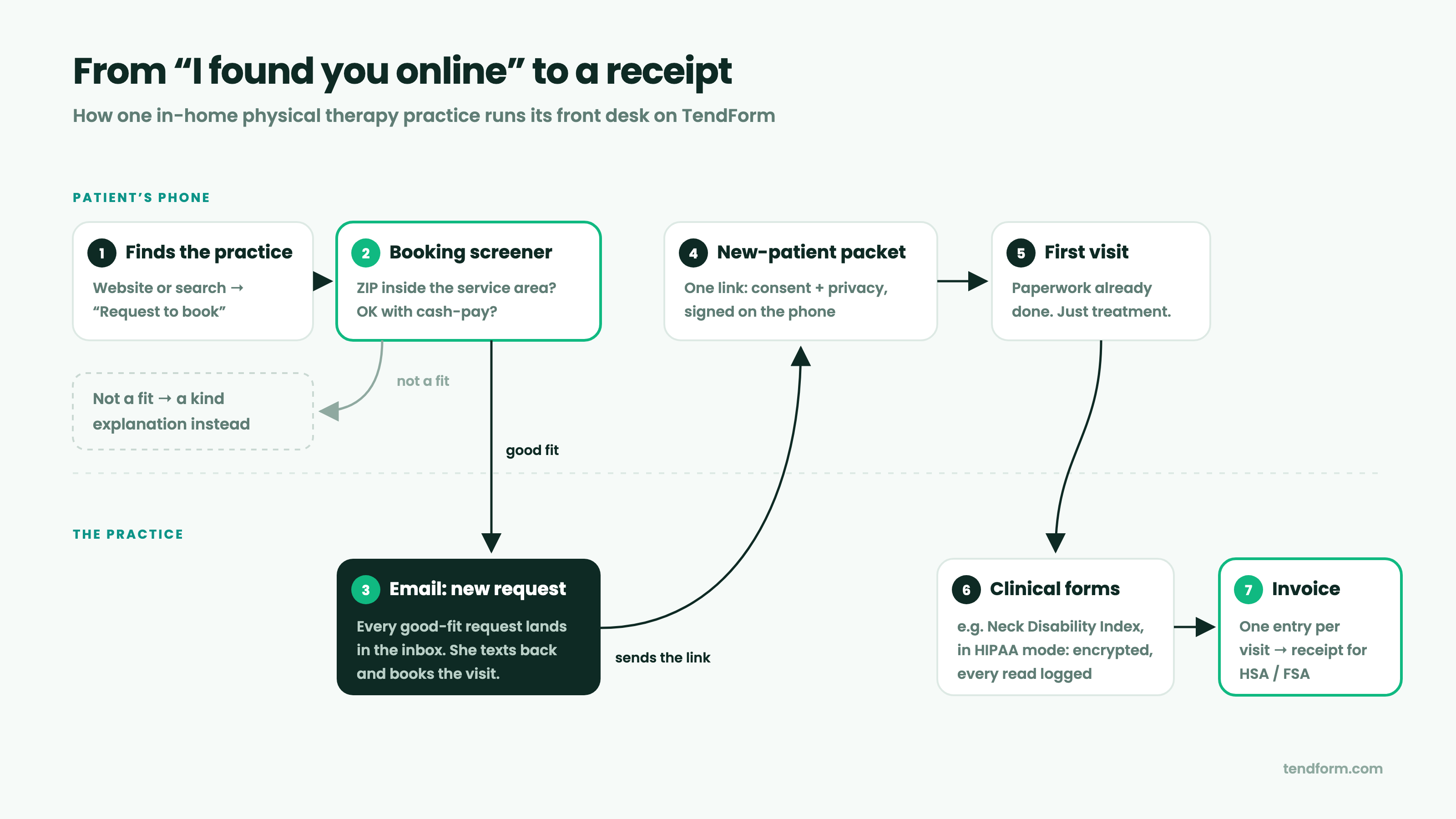
1. A booking screener that screens itself
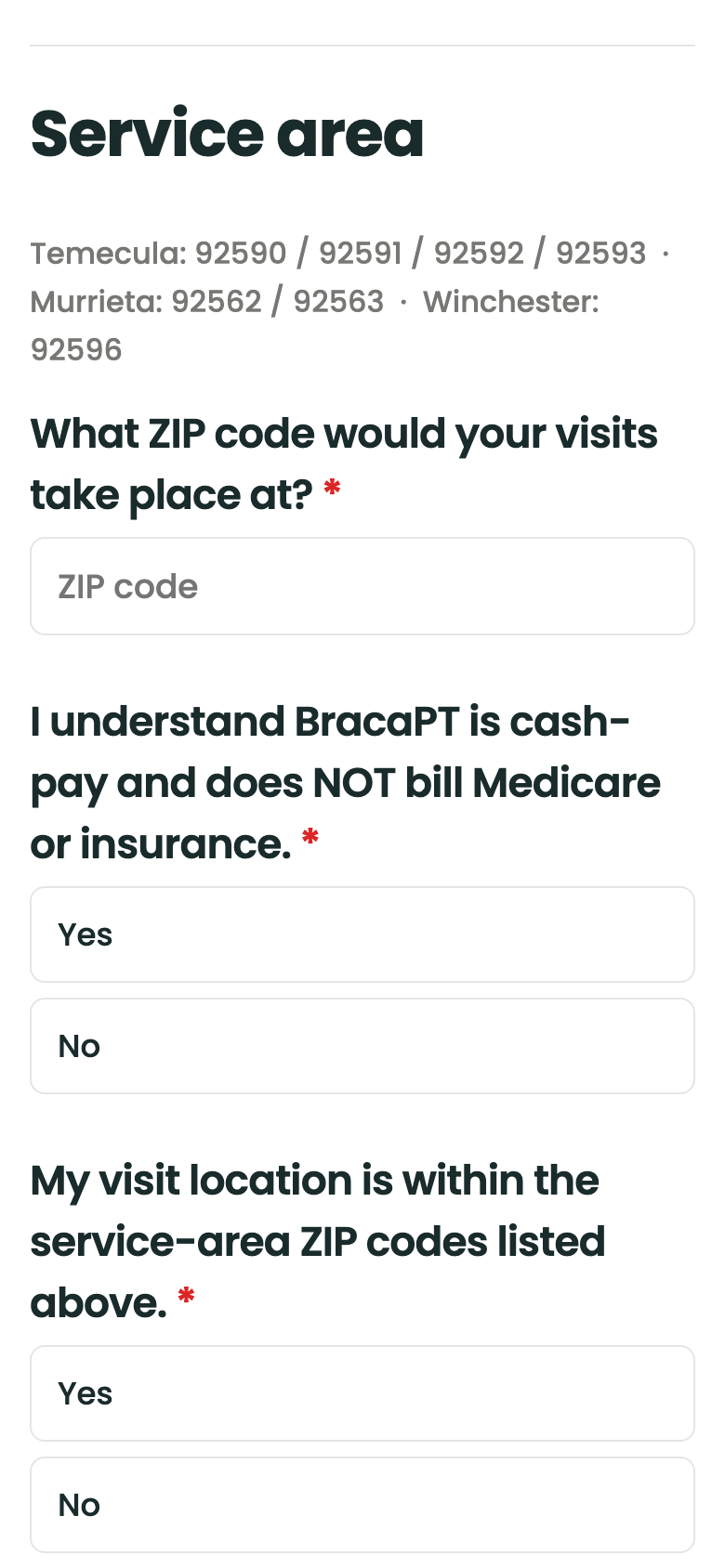
Her website sends people to a Request to Book form. It asks for the ZIP code where visits would happen and whether the patient understands the practice is cash-pay. Conditional logic does the rest: if both answers fit, the patient sees a few short questions — what they want help with, how soon they'd like to start, a number to text back — and then her direct line. If they're outside the area or need Medicare, they get a kind, clear explanation instead of a voicemail that goes nowhere.
2. An email the moment a real request comes in
Every response triggers an email to the practice. That's the message I forwarded on a Saturday evening. It's deliberately boring: the answers, and a link to see all responses. She reads it on her phone between visits and texts the patient back.
3. The paperwork, done before she arrives
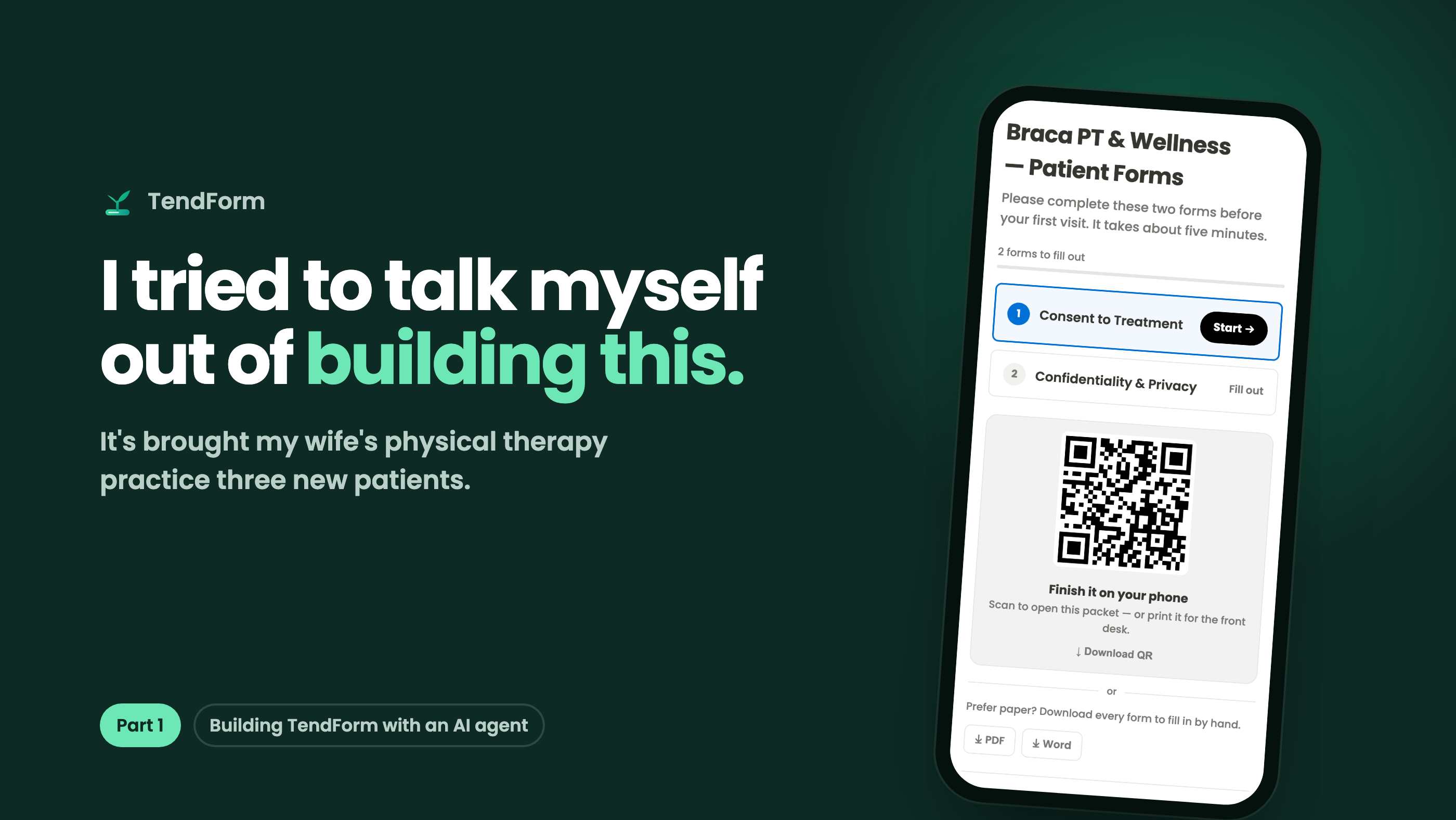
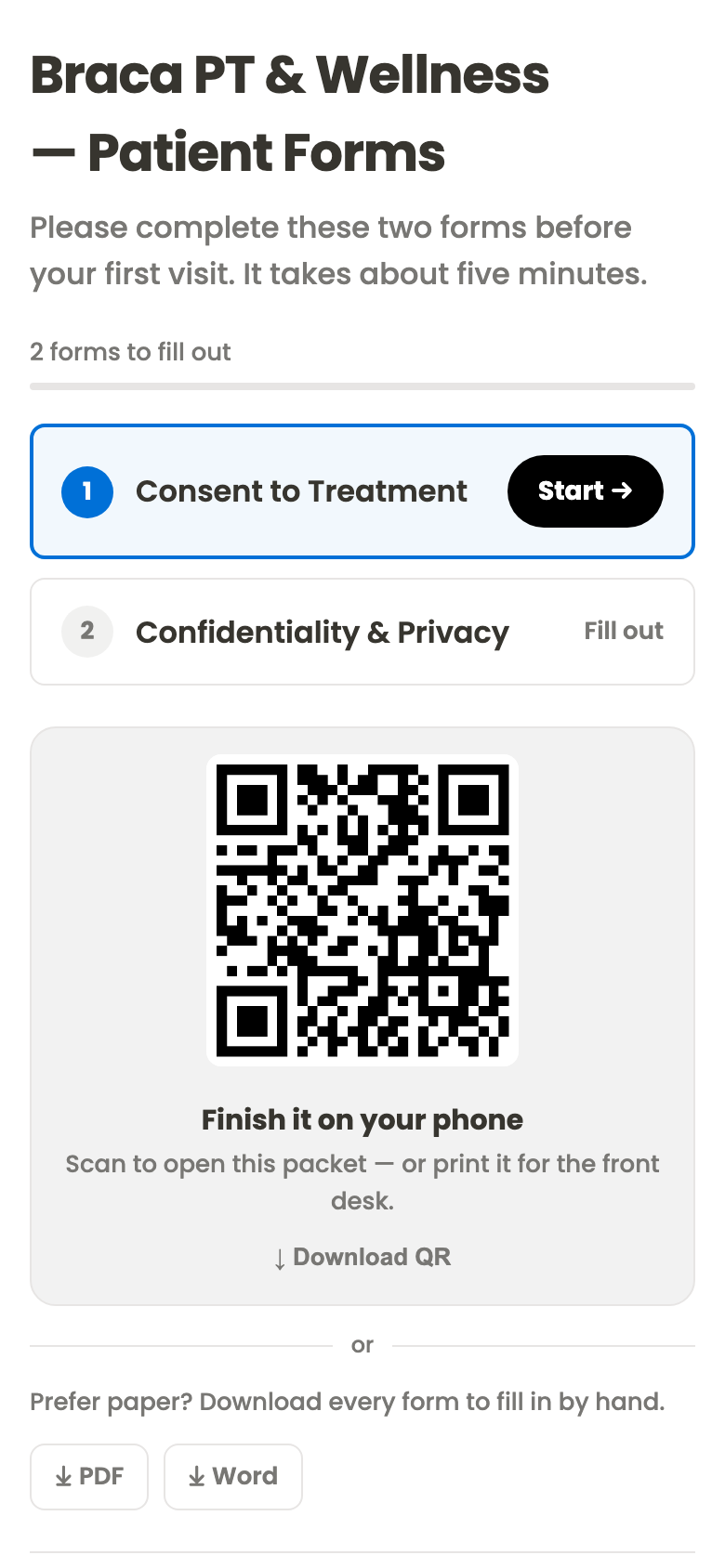
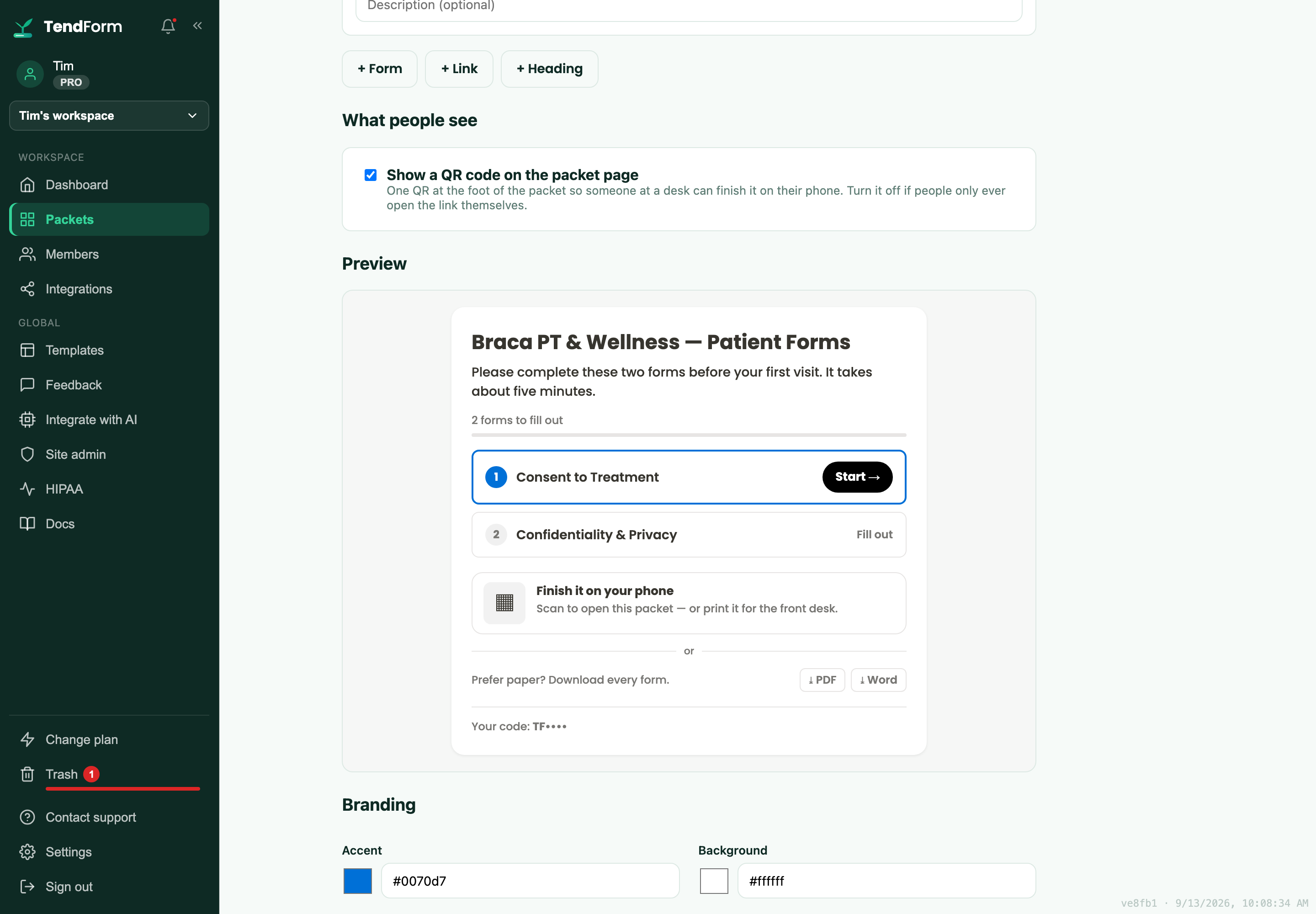
Once a visit is booked, she sends one link. That link opens a packet: Consent to Treatment and a Confidentiality & Privacy acknowledgment, as numbered steps with the next one highlighted. The patient signs on their phone, can come back to it later, and if they'd rather scan than tap, there's a single QR code. Anyone who prefers paper can download every form as a PDF or Word file.
The first real booking request came in on July 23. By the next morning, that new patient had completed both consent forms from their phone. The first visit started with treatment, not a clipboard.
4. Clinical forms in HIPAA mode, and an invoice for every visit
Clinical measures like the Neck Disability Index run in HIPAA mode. Responses go to an isolated, encrypted database that's separate from everything else in TendForm, and every read is logged.
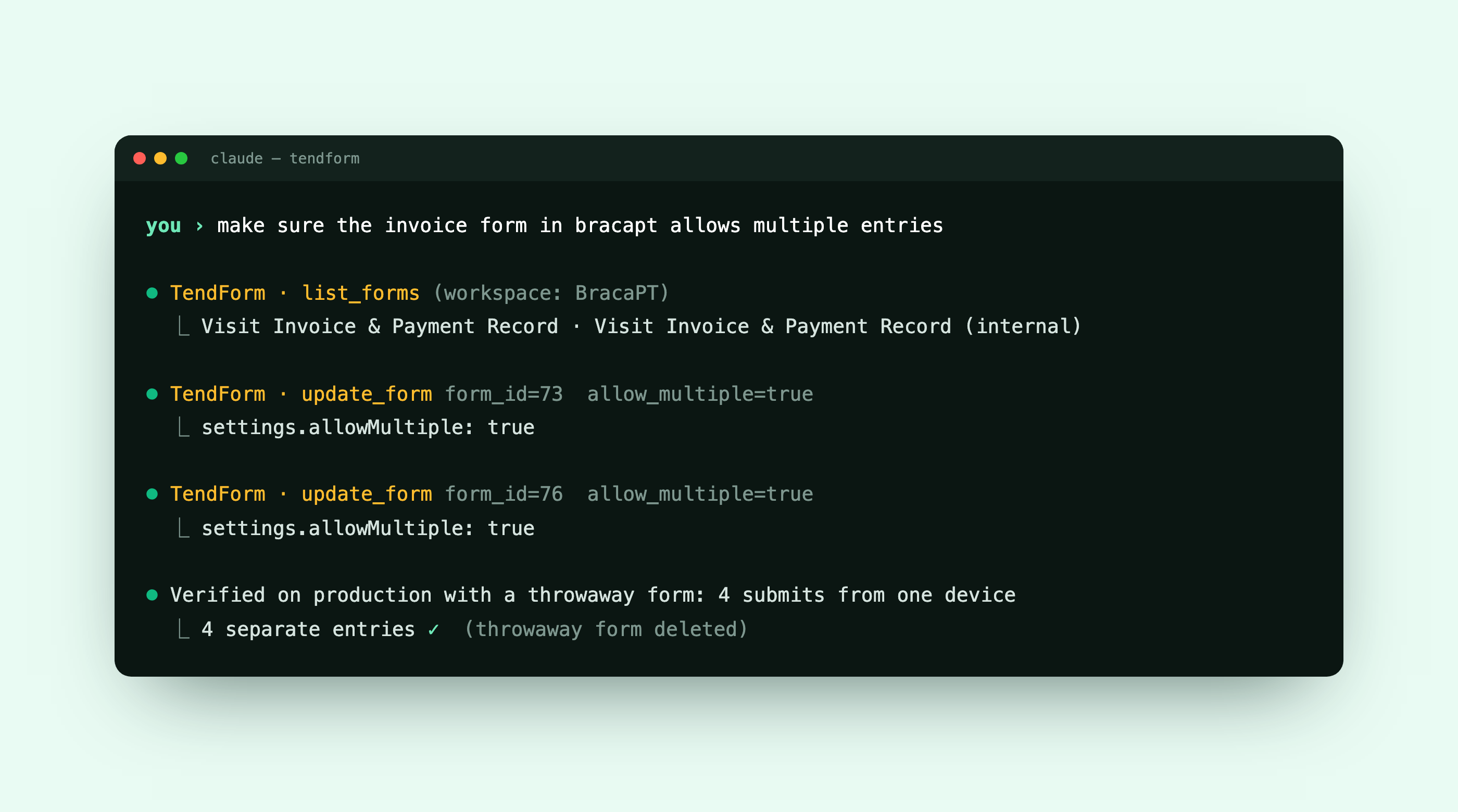
After each visit she fills in a Visit Invoice & Payment Record — date, services, amount charged and paid, payment method. That form has repeat entries turned on, so the same form logs visit after visit as separate records, and a patient can take a copy as an itemized receipt for their own claim.
Here's the whole flow in one picture:
The case against building it
I tried to talk myself out of building this, and the case against it was a good one:
- Good form tools already exist. General-purpose form builders are mature and affordable, and some are genuinely beautiful. "I'll just build my own" is how a weekend project becomes a second job.
- A summer is a real cost. Every evening spent on a form builder is an evening not spent on anything else.
- One customer isn't a market. Building for my wife meant building for a sample size of one, who is also the one customer I can't afford to let down.
- Health information raises the stakes. Clinical forms mean HIPAA, and getting that wrong is worse than never shipping at all.
I still agree with every one of those points. What kept winning the argument was simpler: every time I set one of her real workflows next to an existing tool, it fell into a gap.
The four gaps that made me do it anyway
- Several forms that belong together. A new patient needs consent and privacy and sometimes a clinical measure. Sending three links and chasing whichever one didn't come back is exactly the front-desk work she was trying to avoid. In TendForm that's a packet: one link, a progress bar, and a view of who's finished.
- A QR code that's a first-class feature, because some patients will only ever scan.
- The same person submitting the same form repeatedly — invoices, logs, check-ins — without the tool assuming the second submission is an edit of the first.
- An honest HIPAA story that says plainly what the software handles and what stays the practice's responsibility, at a price a one-person practice can pay.
So I built the tool I wanted her to have, and made it work for anyone with the same problem: studios, retreat hosts, dental offices, trainers. Three new patients later, I'm glad I lost the argument.
Built in eleven weeks, with an agent
The first commit landed on June 24. As I write this, the repository has 186 commits, and 158 of them were co-authored with Claude, the AI agent I built TendForm with.
That number deserves context, and Part 2 of this series is entirely about it. The short version: I decide what gets built and whether it's good enough to ship. The agent does a lot of the how — reading the code, writing the change, running the tests, deploying, taking screenshots at a phone's width and looking at them. Nothing is "done" until it's verified where a real person would see it.
It also means the product can move at the speed of a conversation. On July 15 my wife emailed me: she needed a Special Incident Report form for a vendor contract, and she attached the Word template she'd been given. Fifteen minutes later I replied with a link to the live form.
In September she told me she was using a form as an invoice and needed it to accept more than one entry per person. That became repeat entries: built, deployed, verified on production, and switched on for her invoice forms the same day. Because TendForm has its own connector for Claude, that last step was a sentence, not a settings screen:
Who it's for
If you run a practice, a studio, a retreat, or anything else where people have to fill in more than one form before you can help them, TendForm is for you. You can:
- Describe a form or a whole packet in a sentence and preview it free, with no account.
- Import a Google Form by pasting its link.
- Share it by link or QR, and get an email when someone responds.
- Start free. Pro is $19.99 a month. The HIPAA plan, with a signed Business Associate Agreement, is $49 a month.
You can read how her practice uses it in more detail in the Braca PT & Wellness customer story, or just try it at tendform.com.
The next time a form in your life asks you the same question twice, know that someone, somewhere, is probably building a replacement over the summer.
This is Part 1 of a series on building TendForm with an AI agent. More is on the way — follow along so you don't miss the next one. For the engineering side — how I scoped the work, reviewed what the agent wrote, and the bugs that got through anyway — read managing a solo SaaS build to production quality on timurista.ai.